
Aura antivirus review 2026
 All-in-one antivirus with identity protection
Aura Antivirus is an all-in-one security solution designed for users seeking strong protection without unnecessary complexity. It offers real-time malware and phishing protection, identity theft monitoring, and an integrated VPN. With its user-friendly interface and reliable performance in testing, Aura is a straightforward antivirus suite.


Aura antivirus is an all-in-one digital security app that combines basic antivirus protection with strong identity theft and privacy tools. Aura aims to keep you safe while browsing by blocking online threats, including phishing scams, data leaks, identity fraud, shady websites, and malicious links. Plus, it’s convenient because it combines virus protection, identity, and credit monitoring into one simple app, so you don’t have to manage several different services at once.
Still, there are some questions about how well Aura works, mainly because no independent labs have tested it yet. To find out more, I delved into Aura’s official features and resources to provide a clear overview of its antivirus and security tools, covering everything from malware scans and real-time protection to identity theft safeguards, VPN, password manager, pricing plans, customer support, and desktop and mobile device installation.
Quick verdict: Aura is best seen as an identity protection service with antivirus included. It’s a good fit if you want simple, lightweight security with identity monitoring. However, if you want a robust antivirus with advanced technical settings or scheduled scanning, you might find it a bit limited.
| Aura antivirus pros: | Aura antivirus cons: |
| ✅All-in-one safety: Combines antivirus, VPN, and ID theft protection in one app. | ❌No scheduled scans: You need to set up scans manually. |
| ✅Simple interface: Easy to use, even for beginners. | ❌iOS limitations: It protects your web browsing, but it can't scan files for viruses on iPhone/iPad. |
| ✅Premium identity protection: Alerts you if your online accounts or personal data are compromised. | ❌Lacks lab data: No independent AV-TEST or AV-Comparatives results. |
| ✅Lightweight: Runs quietly in the background without slowing down your computer. | ❌No Firewall: Antivirus features are basic compared to top competitors. |
![totalav responsive banner logo [IN USE]](https://media.vpnpro.com/images/160x40/2026/01/totalav-banner-logo.png)
How we test and rate antivirus software
We rate antivirus products using our in-house malware detection tests and compare the results with those from top independent labs like AV-TEST and AV-Comparatives. However, Aura's antivirus does not have scores from these labs and performed below the top competitors in our tests.
Since Aura has only participated in a limited number of third-party evaluations, in-house testing is especially important. We tested performance, system impact, compatibility, features, pricing, and other relevant factors. This way, our antivirus testing process covers every aspect of the software for a thorough, unbiased analysis.
We run antivirus software in real-life scenarios on Windows, MacBook, Android, and iOS to get results that are close to hands-on use. Our final rating reflects both controlled testing and everyday use with real-world cyber threats. This should help you decide if our tested antivirus is right for you.
We tested Aura antivirus on January 9, 2026, scoring it 7.5/10.
Our verdict: Aura Antivirus is a solid all-in-one security suite, strong in identity theft protection and lightweight malware defense. It’s easy to use and works well across Windows, macOS, and Android. Nevertheless, on iOS, you only get identity and privacy tools, not a full antivirus. While Aura is a good choice for casual users who want simple protection, those who need advanced antivirus features, scheduled scans, or verified lab results might prefer TotalAV as a more feature-rich and tested alternative.
Aura antivirus pricing and plans
- Aura Antivirus costs $3.00/month and covers up to 3 devices, making it suitable for individual users who want basic malware and identity protection.
- Aura Antivirus Plus costs $4.00/month and supports up to 5 devices, making it well-suited for small households.
- Aura Ultimate costs $5.00/month and protects up to 10 devices, making it the best option for families or users with multiple devices.
All Aura plans include a 60-day money-back guarantee, so you can try the service risk-free. Nevertheless, the table below breaks down the key differences between Aura’s plans, highlighting what each tier includes so you can compare features and choose the best option for you.
| Aura antivirus features | Antivirus | Antivirus Plus | Ultimate |
| Price per month | $3.00/month | $4.00/month | $5.00/month |
| Device limit | 3 | 5 | 10 |
| Real-time protection | ✅Yes | ✅Yes | ✅Yes |
| Safe browsing | ✅Yes | ✅Yes | ✅Yes |
| Identity theft protection | ❌No | ✅Yes | ✅Yes |
| Identity theft insurance | ❌No | ❌No | ✅Yes |
| Financial fraud protection | ❌No | ❌No | ✅Yes |
| VPN | ✅Yes | ✅Yes | ✅Yes |
| Password manager | ❌No | ✅Yes | ✅Yes |
Aura Antivirus offers three plans, each tailored to a specific level of protection. The Antivirus plan provides real-time malware protection, safe browsing, and a VPN, which is suitable for basic activities such as browsing, streaming, or online shopping.
However, the Antivirus Plus plan includes basic identity theft protection and a password manager, making it ideal for users who want alerts if their personal data appears in leaks or on suspicious websites.
Aura Ultimate is the most advanced plan. It includes everything from the other plans, plus $1 million in identity theft insurance and financial fraud protection. This is helpful if you want more peace of mind when handling your bank accounts or credit cards online.
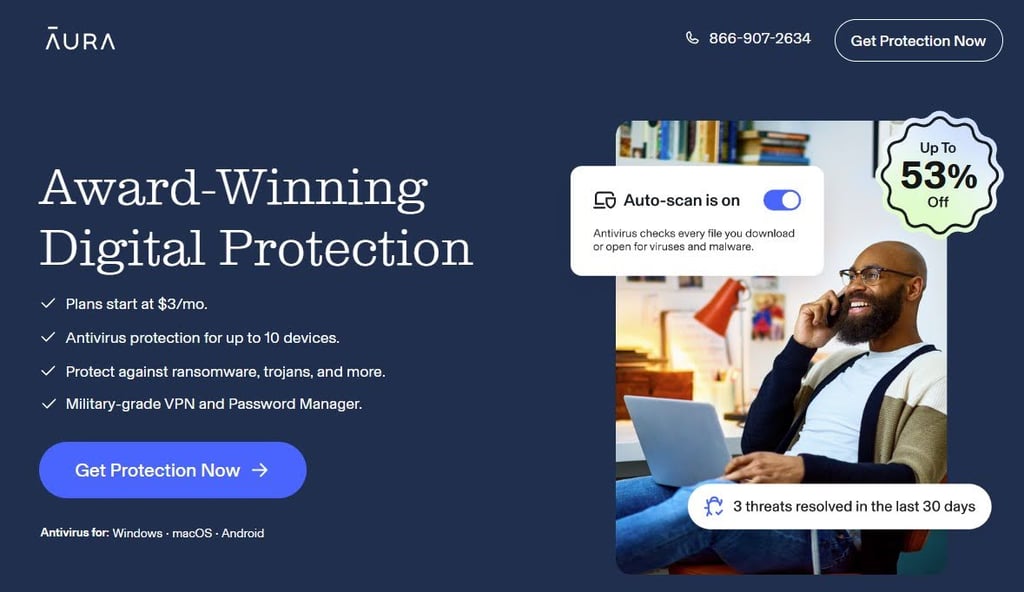
During my testing, I used the Ultimate plan to evaluate how the financial fraud alerts worked. Overall, Aura plans are among the cheapest options in the industry while offering strong security features.
What’s included in Aura antivirus protection?
Nowadays, many antivirus companies include additional features in their security packages, such as identity protection, online privacy protection, and financial monitoring. These extra tools help users stay safe not just from malware, but from a wide range of digital threats. That’s why Aura combines all these protections into a single, easy-to-use service. However, the exact Aura antivirus features you get depend on the subscription plan you choose. Here are some of the main security features Aura Antivirus offers:
- Malware scan results
- Real-time protection
- Identity theft protection
- Financial fraud protection
- Aura VPN
- Password manager
Now let’s take a closer look at the key security features that Aura has to offer.
1. Malware scan results
Aura antivirus offers manual malware scans, giving users direct control over when and how their devices are scanned for threats. It includes three scan options, each designed for a different situation:
- Quick Scan: Focuses on common locations where malware usually hides, such as system and temporary files. This routine scan takes a few minutes.
- Full Scan: Checks all files and folders on your device for potential threats. This is the most thorough option and can take longer to finish the scan, depending on how much data is stored on the device.
- Custom Scan: Lets you scan specific files, folders, or external drives, such as USB sticks. Scan time varies depending on your selection, but it’s useful for targeted checks after downloading or transferring files.
All scan types are easy to start and clearly show results, so even beginners can understand what’s happening. However, Aura does not support scheduled scans, so you must run them manually, unlike many traditional antivirus tools, which include this feature by default.
2. Real-time protection
Aura’s real-time protection works quietly in the background and monitors files as you download, open, or install them on your device. This helps stop malicious files from running, whether they come from email attachments, downloads, or apps.
Aura also includes malicious URL blocking, designed to prevent access to phishing pages and unsafe websites that could steal your login details or install harmful software without you noticing. For everyday use, this is especially helpful when clicking links in emails, ads, or search results.
When something suspicious is detected, Aura displays clear, beginner-friendly alerts that explain what was blocked and why. Detected files are typically quarantined, and the app guides users through steps such as removing the threat or restoring a file if needed.
While Aura offers excellent, simple real-time defense, it lacks some advanced features, such as a built-in firewall. If you want a suite that pairs strong real-time protection with deep system-cleaning tools and a dedicated firewall, TotalAV is the best overall alternative. It is highly efficient in malware detection, user-friendly, and often more inexpensive for those who want a traditional antivirus focused on device performance.
3. Identity theft protection
Aura’s identity theft protection is like having a digital bodyguard that never sleeps, always watching out for your personal life. While regular antivirus software blocks viruses on your computer, Aura keeps an eye on the real world to make sure your name and reputation are safe from hackers. Aura works as an early warning system, checking the dark web and public records to see if someone else is using your information.
Aura closely monitors your personal information, such as your Social Security Number (SSN), passport, home title, and online accounts, and alerts you to any signs of a leak. Moreover, the Aura Ultimate plan includes up to $1 million in identity theft insurance, which can help cover legal costs, lost wages, and stolen funds if you become a victim. If fraud occurs, Aura provides you with special support from US-based experts who handle the recovery for you, working with banks and government offices to restore your identity. Have in mind that this service works only for US residents.
Protect your identity with Aura antivirus
4. Financial fraud protection
Aura includes financial fraud protection in its Ultimate plan, helping users stay informed about suspicious financial activity. This feature monitors banking transactions, loans, and other credit activity, alerting you to unusual activity. It also checks your credit with all three major credit bureaus, Experian, Equifax, and TransUnion, and tells you right away if someone opens new loans or credit cards in your name. These features are useful for frequent online shoppers, homeowners, and anyone managing multiple financial accounts, who will find this feature especially helpful for keeping tabs on unusual activity.
While these alerts help detect potential fraud early, they do not prevent fraud automatically; users still need to act on the notifications to protect their accounts. This service can help you spot issues quickly and take steps to minimize financial damage, making it a practical tool for anyone who wants to safeguard their money and credit. However, these financial and credit features are currently available only to US residents.
5. Aura VPN
Aura includes a built‑in VPN with all its antivirus plans. It encrypts your internet connection, keeping your data private and preventing others, like hackers or your ISP, from seeing what you do online, especially on public Wi‑Fi. Moreover, Aura’s VPN uses military‑grade encryption, helping ensure your information stays safe when you browse, shop, or use an online bank.
Aura’s VPN offers access to 100+ virtual locations worldwide, including over 20 US locations, making it useful for basic privacy and accessing region‑specific content. It also includes helpful features, such as an automatic kill switch that cuts your internet if the VPN connection drops. Plus, it offers split tunneling, which lets you choose which apps use the VPN and which don’t.
This VPN is suitable for everyday browsing and privacy protection, such as securing your connection on public Wi‑Fi or hiding your activity from trackers. However, it’s not designed for heavy streaming, advanced torrenting, or gamers who want full control over protocols or specialized servers. If you’re looking for a more reliable VPN, a reliable alternative from industry-leading providers may be a better fit.
6. Password manager
Aura includes a password manager in its Antivirus Plus and Ultimate plans, which securely stores your login credentials in an encrypted vault. It can autofill usernames and passwords on supported websites and apps, helping prevent phishing attacks by ensuring your credentials are only entered on legitimate sites.
The vault uses AES-256 encryption to keep your passwords safe, and it syncs across all connected devices, including Windows, macOS, Android, and iOS. The manager also allows you to import credentials from other password managers, making it easy to switch without losing your stored logins.
Additionally, Aura’s password manager flags weak or reused passwords. It even alerts you if one of your passwords has been leaked in a known data breach, giving you a chance to change it before a hacker can use it. Overall, Aura’s password manager is simple, secure, and convenient for everyday use, though users with advanced needs might consider pairing it with a dedicated password manager.
Additional Aura antivirus features
Aura also includes web protection and anti-tracking tools, which go beyond traditional antivirus features to make your online experience safer. The safe browsing feature blocks malicious links, phishing sites, and shady web pages, helping prevent infections before they even reach your device. This protection works through the Aura antivirus app itself or via a browser extension that adds AI-powered filtering to detect unsafe sites. While this is built into the main Aura app, it usually requires the VPN to be active to work.
Additionally, Aura offers an anti-tracking and ad-block feature that stops site trackers and reduces intrusive ads that collect your browsing data. For desktop users, this extension is a convenient workaround that provides web protection, ad blocking, and tracker prevention even when you’re not connected to the VPN. This helps protect your privacy while keeping web pages cleaner and faster to load.
Installation and ease of use
Setting up Aura Antivirus is straightforward and beginner-friendly. You can download the installer directly from your account dashboard or your device’s app store, and the installation typically finishes within one or two minutes. Once installed, the app prompts you to run your first scan, and reading Aura’s tutorials can help you get familiar with all the features.
The app itself is sleek and intuitive. Running scans, customizing them, and managing quarantined files is simple, and helpful explanations accompany most settings. Both desktop and mobile apps share a consistent design, making it easy to switch between devices. Plus, having the antivirus and VPN in one app is convenient, too, eliminating the need to install multiple programs.
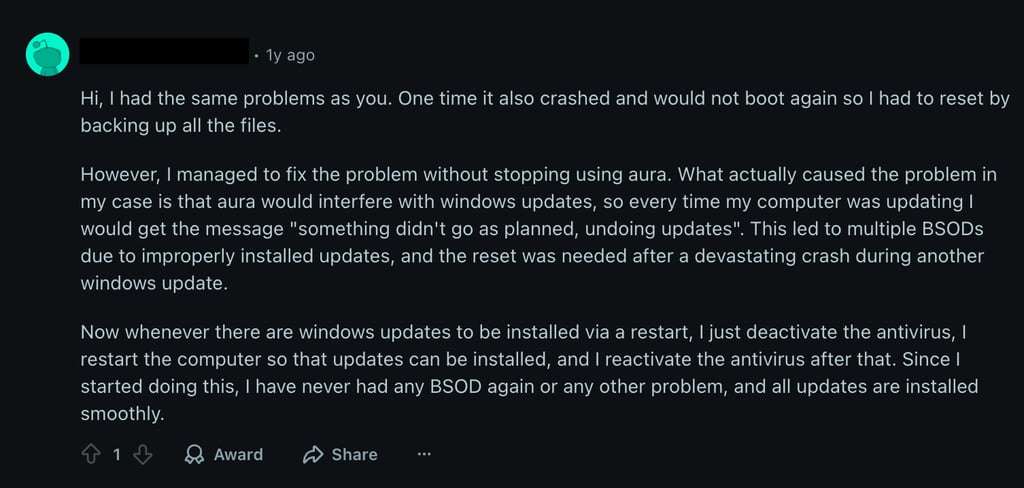
That said, some Reddit users have noticed minor technical problems. For example, on Windows, Aura can sometimes cause issues with system updates, resulting in error messages or a crash. An easy fix is to disable the antivirus while you install updates temporarily, then turn it back on when you are done. This usually lets updates finish without problems, and the computer works well again. Other small issues include that you cannot change the app's appearance or choose different colors, and there is no dark mode.
How to install the Aura app on the desktop?
You can install the Aura antivirus desktop app on Windows and macOS by downloading it from the official Aura site. Here’s the simple step-by-step process to install the Aura antivirus app on a desktop:
- Go to the official Aura site and choose your Aura antivirus plan.
- Create your new account and log in to your Aura account.
- Click the gear icon in the top-right corner and select Downloads.
- Find the Aura Desktop App, click Get, then press Install.
- Follow the on-screen instructions and allow any requested permissions, such as Full Disk Access.
- Once installed, open the app and sign in with your Aura email and password.
Note: Aura works on Windows 10 (64-bit) or newer and macOS 13 or later, so make sure your device meets these requirements before installing. Also, keep in mind that only one antivirus program can run on your computer at a time, so you may need to remove any existing antivirus software first.
Download the Aura app on the desktop
How do I install the Aura app on my phone?
Installing Aura on your mobile device is simple and works similarly on both Android and iPhone. Here’s how to download the Aura app on your mobile:
- Open the Apple Store (iPhone) or Google Play Store (Android) and search for Aura Antivirus.
- Tap Get or Install to download the app.
- Open the app and sign in with your Aura email and password, or create a new account.
- Follow the on-screen instructions and grant any requested permissions to ensure full protection.
Note: Aura Antivirus won’t function fully on iOS devices because Apple’s system rules prevent apps from scanning the system or other apps. Instead of traditional antivirus features, the Aura iOS app offers tools such as a VPN, secure browsing, identity monitoring, and data protection. This limitation is due to Apple’s sandboxing, which prevents apps from accessing data from other apps or changing system settings, reducing the need for antivirus scanning.
Install the Aura app on mobile
Aura customer support
| Specifications | Aura customer support |
| Live chat (8 AM to 8 PM EST) | ✅Yes |
| 24/7 phone line | ✅Yes |
| ✅Yes | |
| Knowledge base | ✅Yes |
Aura provides multiple ways for users to get help with technical issues, account questions, billing, or guidance on using its antivirus and identity protection features. Support is available via live chat on its official website to quickly resolve technical issues or account questions during its active support hours (8 AM to 8 PM EST). Moreover, a 24/7 phone line is the quickest and most direct way to get help. For users in the US, you can call (833) 552-2123, or for international users, you can dial +1 (833) 552-2123.
However, you can send an email ([email protected]) describing your issue, and a support agent will respond with guidance or solutions. Plus, Aura’s help center includes articles and step-by-step guides for installation, features, and troubleshooting. You can also submit a support case after logging in for more complex issues.
User reviews and complaints about Aura antivirus
Aura has built a strong reputation as a comprehensive all-in-one security suite, maintaining high ratings across major platforms for its ease of use and proactive alerts. As of October 2026, the service is widely recognized for its integrated approach, combining identity monitoring with essential device protection. The following table shows Aura's current rating across the most popular review and app platforms:
| Website | TrustPilot | Google Play Store | Apple Store |
| Aura antivirus | 4.3⭐ | 4.5⭐ | 4.0⭐ |
During my research of customer reviews on Trustpilot, I found that many users highlighted Aura’s customer support, praising how carefully they guide customers through difficult situations. One of the highlights that no other industry-leading antivirus service can match is having a phone line and a real person to talk to. It makes a big difference when you can resolve your issue on the spot, especially when dealing with technical glitches or potential identity threats.
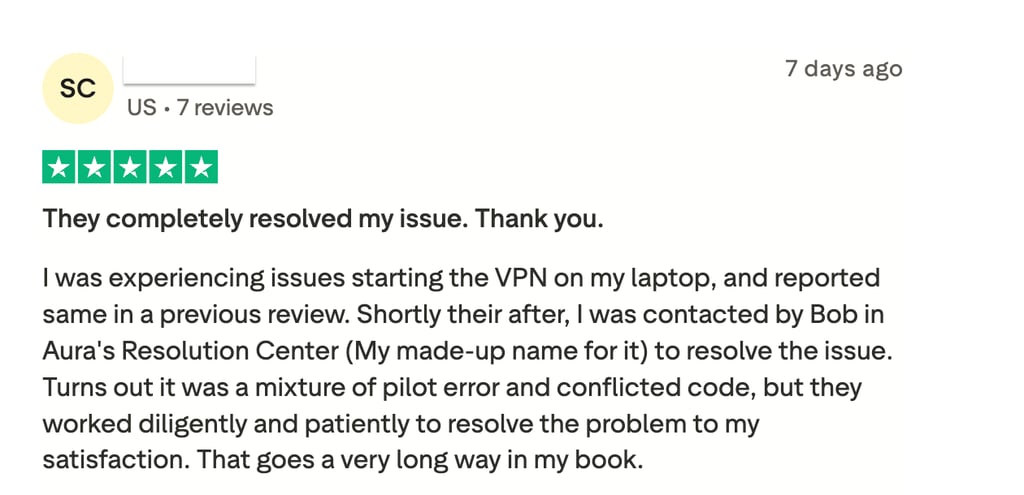
On the other hand, some users pointed out downsides related to system performance and billing clarity. As Aura’s VPN and real-time scanner operate deep within the system to secure non-secure Wi-Fi, they can occasionally cause slowdowns on specific network setups. Plus, frustration with persistent charges shows the importance of canceling through the Aura portal rather than just deleting the app, a step that can sometimes be overlooked.
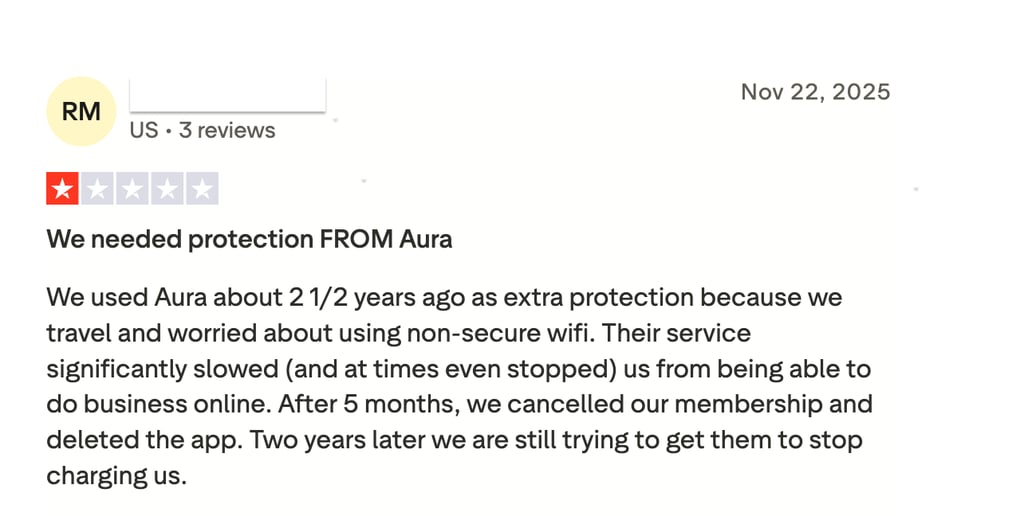
Overall, Aura’s customer support is a strong point, offering multiple ways to get help and real human assistance when you need it most. While minor issues like system slowdowns or billing hiccups can occur, the team’s responsiveness and guidance make them much easier to manage.
Final verdict: Is Aura antivirus worth it?
Aura Antivirus offers practical plans designed to fit different user needs while maintaining simplicity. The basic Antivirus plan, priced at $3.00 per month, includes essential malware protection, VPN access, and safe browsing, making it suitable for casual users seeking everyday device security. Moreover, the Antivirus Plus plan, at $4.00 per month, adds basic identity monitoring and a password manager, offering additional protection for online accounts. In addition, the Ultimate plan, available for $5.00 per month, includes financial fraud alerts and up to $1 million in identity theft insurance, making it a good option for anyone looking to protect their sensitive personal information.
Aura includes a 60-day money-back guarantee with each plan, allowing users to try the service without financial risk. The combination of antivirus, VPN, identity protection, and privacy tools provides comprehensive security for most everyday users. However, advanced users who require more advanced features, a robust VPN, or parental controls may find TotalAV more suitable, as it offers more convenient customization and device management options.

![Norton weekly deals logo [IN USE]](https://media.vpnpro.com/Norton.png)
![Bitdefender weekly deals logo [IN USE]](https://media.vpnpro.com/Bitdefender.png)
FAQ
Is Aura a good antivirus?
Yes, Aura is a good antivirus, but only if you want a simple, user-friendly solution. It provides the basics and includes additional features such as a VPN, password manager, and identity protection. It’s not ideal for advanced users, as it lacks features such as system tune-up, webcam protection, and scheduled malware scans.
Is it safe to use Aura antivirus?
Yes, Aura antivirus is safe to use, as it protects your devices from malware and secures your personal data with strong encryption. It includes features such as a VPN, a password manager, and identity theft protection to keep your information private. The software is lightweight and runs quietly in the background, so it won’t slow down your computer or phone.
Is Aura antivirus a good identity protection provider?
Yes, Aura is a solid identity protection provider, offering tools to monitor your SSN, online accounts, and credit activity. It also provides alerts if suspicious activity is detected and includes up to $1 million in identity theft insurance on the Ultimate plan. However, these identity protection features are available only for US residents. If you’re looking for an alternative with strong identity and antivirus protection, TotalAV is worth considering.
How much does Aura identity theft protection cost?
Aura identity theft protection is included as part of the Antivirus Plus and Ultimate plans, so it doesn’t cost extra on its own. The Antivirus Plus plan costs $4.00/month and adds basic identity monitoring, including monitoring of online accounts, SSNs, and personal info. The Ultimate plan costs $5.00/month and includes more comprehensive identity and financial fraud protection.
Can I protect my whole family with Aura antivirus?
Yes, you can protect your whole family with Aura antivirus by choosing a plan that covers multiple devices. For example, the Antivirus Plus plan lets you secure up to 5 devices, while the Ultimate plan covers up to 10 devices. Aura is compatible across Windows, Mac, and Android, so most household devices are supported. This makes it easy to keep everyone protected with a single account.
I’m a victim of identity theft, can Aura antivirus help me?
Yes, Aura antivirus can help if you’re a victim of identity theft, but the level of support depends on the plan you choose. The Antivirus Plus and Ultimate plans monitor your personal information and alert you to suspicious activity, such as a new credit card or loan opened in your name. If identity theft does occur, only the Ultimate plan includes up to $1 million in identity theft insurance to help cover related costs. Keep in mind that identity theft protection and financial coverage are currently available only to US residents.
Is Aura password manager safe?
Yes, Aura’s password manager is safe. It uses AES-256 bank-level encryption to keep your login details in a virtually unhackable digital vault. Aura’s password manager acts like a secure lockbox for your keys, ensuring that even if a hacker breached your computer, they couldn't read your passwords without your unique master key. For example, it includes two-factor authentication (2FA), which requires a secondary code sent to your phone to log in, adding an extra layer of defense similar to how you log in to a banking app.

