Best VPN for GTA 6 in 2026

Short summary:
- NordVPN is the best VPN for GTA 6, offering fast speeds, privacy, and console compatibility
- PS5 and Xbox Series X|S require a VPN-compatible router or shared PC connection
- A VPN can mask your home IP address, potentially reduce IP-targeted DDoS risks, and help with selective ISP throttling
🏷️ LIMITED OFFER: NordVPN deal! Get 78% OFF NordVPN + 3 months FREE 🏷️
When choosing the best VPN for GTA 6, you need to consider more than just server speeds. Since GTA 6 is coming to PS5 and Xbox Series X|S, VPN compatibility with these consoles is just as important as having a secure and stable connection. For either console, you can use a VPN through a compatible router or shared PC connection. Currently, there’s limited information about GTA 6’s multiplayer features, so it’s hard to say whether the same VPN benefits associated with GTA Online will also apply to GTA 6.
Regional access is another reason players might consider using a VPN. For example, the New Zealand trick has got GTA fans talking, with some hoping to play the game ahead of their local launch time. However, changing your IP address alone won’t unlock the game early or change your console account’s region.
In this article, I’ll explain the benefits and limitations of using a VPN for GTA 6, including whether it can help with GTA 6 early access.
Best VPNs for GTA 6: shortlist
-
High-speed GTA 6 VPN with vast server network and console compatibility
-
Secure GTA 6 VPN with a free router-compatible plan
-
Easy console VPN setup with a dedicated Fortify router
-
Versatile GTA 6 VPN with unlimited device connections
-
Easy-to-use GTA 6 VPN with gaming-optimized Windows servers


Do you need a VPN for GTA 6?
No, you don’t need a VPN to play GTA 6, especially if you’re planning to stick to the single-player experience. Still, there are reasons to consider using one, such as keeping your real IP address private or dealing with certain internet service provider (ISP) restrictions, like throttling. However, don’t expect it to automatically fix lag or boost your gaming performance.
Protect your IP address and connection privacy
One reason to use a VPN for GTA 6 is to keep your public IP address private. With a VPN, your internet traffic is routed via an encrypted tunnel, so online services usually detect the VPN server’s IP address and not yours. Moreover, your ISP can’t easily see the contents of your encrypted VPN traffic.
In online multiplayer games, hiding your real IP can help protect you from IP-targeted attacks, including some DDoS attempts. Nevertheless, this advantage depends on how the game handles player connections. Since Rockstar hasn’t confirmed how GTA 6’s multiplayer infrastructure will work, it’s hard to say if players will run into the same networking risks as in GTA Online.
Can a VPN help with throttling, downloads, or lag?
A VPN may help with GTA 6 download speeds if your ISP deliberately throttles certain types of traffic. Since a VPN encrypts your connection, it becomes harder for your ISP to identify and selectively slow down game downloads. However, it won’t help much if slow speeds are caused by network congestion, bandwidth limits, or overloaded download servers.
As for gaming lag, things are less straightforward. Sometimes, a VPN can provide a better route to a game server and improve latency. Other times, it adds extra delay and increases ping. That’s why I’d recommend sticking to a nearby VPN server rather than expecting distant locations to improve your connection.
What a VPN cannot change in GTA 6
While using a VPN for GTA 6 has its advantages, don’t expect it to improve everything. Your FPS and graphics rendering during native console gameplay depend on the game and your console's hardware – not your VPN connection. If you’re only interested in GTA 6’s single-player campaign, a VPN isn’t necessary to experience what the game has to offer.
It’s also worth remembering that GTA 6’s multiplayer features haven’t been confirmed. So, I wouldn’t count on a VPN to provide easier lobbies, better matchmaking, or access to unannounced online modes. A VPN also can’t change your console account’s region simply by connecting to another country.
Play GTA 6 securely with NordVPN
Best GTA 6 VPNs: detailed reviews
Not every VPN is suitable for GTA 6, especially when playing on PS5 or Xbox Series X|S. Since neither console supports native VPN apps, router compatibility and connection-sharing options are just as important as speed and security.
After comparing our VPN test results, supported configurations, server coverage, and pricing, I selected NordVPN, Proton VPN, ExpressVPN, Surfshark, and CyberGhost as the five best VPNs for GTA 6.
1. NordVPN – best VPN for GTA 6 overall



137

9300

24/7, email
-
Broad router compatibility and Windows VPN sharing
-
Extensive worldwide server coverage
-
Independently audited no-logs policy
-
Standard servers don't support incoming port forwarding
NordVPN stands out as the best overall VPN for GTA 6 because it combines console compatibility, strong connection speeds, and security features. What makes it particularly appealing is that PS5 and Xbox Series X|S players have several ways to use it without needing a native VPN app.
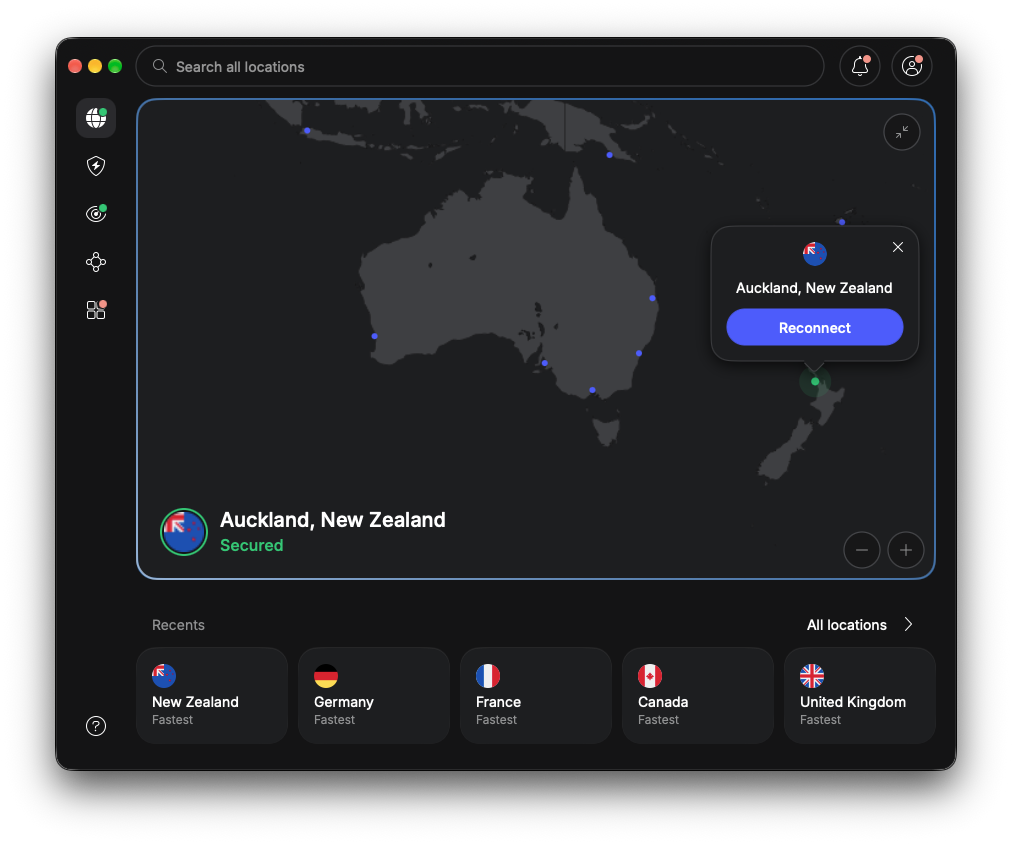
For starters, NordVPN works with a wide range of VPN-compatible routers, including supported ASUS, GL.iNet, and TP-Link models. These typically use the OpenVPN protocol, which provides a secure connection for devices connected to the router. If you don't have a compatible router, you can also share NordVPN's connection through a Windows PC. Both methods route your console's traffic through the VPN, although setup takes more work than installing an app. Additionally, NordVPN supports up to 10 simultaneous connections, with a VPN-enabled router counting as just one, regardless of how many devices use it.
NordVPN's performance also gives it an advantage. During our VPN testing, it maintained around 87% of the original download speed, losing only about 13% on average. That's encouraging for downloading a large game like GTA 6, although actual speeds depend on your connection and router hardware. I also like that NordVPN has thousands of servers across 224 locations, giving you flexibility to find a nearby, stable connection. However, these results don't guarantee improved in-game latency, especially when using a router with limited processing power.
Privacy is another reason I'd recommend NordVPN. Its encrypted connections and IP masking help prevent third parties from identifying your home IP address, potentially reducing exposure to IP-targeted DDoS attacks. The provider also follows an independently audited no-logs policy, which adds credibility to its privacy claims.
NordVPN isn't without limitations. There's no native PS5 or Xbox app, and its standard VPN servers lack incoming port forwarding, which may affect some online connections. Still, with plans starting at $3.49/month, a 3-day Android free trial, a 7-day trial on eligible 1- or 2-year Prime plans in selected countries, and a 30-day money-back guarantee, I consider it a well-rounded choice for GTA 6.
2. Proton VPN – privacy-focused VPN for GTA 6

148
20660
-
Free plan supports compatible VPN routers
-
Free plan with unlimited data
-
Moderate NAT available on paid plans
-
Limited server selection on Free plan
Proton VPN is my privacy-focused recommendation for GTA 6, particularly for players who want to protect their IP address without compromising on security. What sets it apart is its independently audited no-logs policy, open-source apps, and a genuinely free plan that even supports compatible VPN routers.
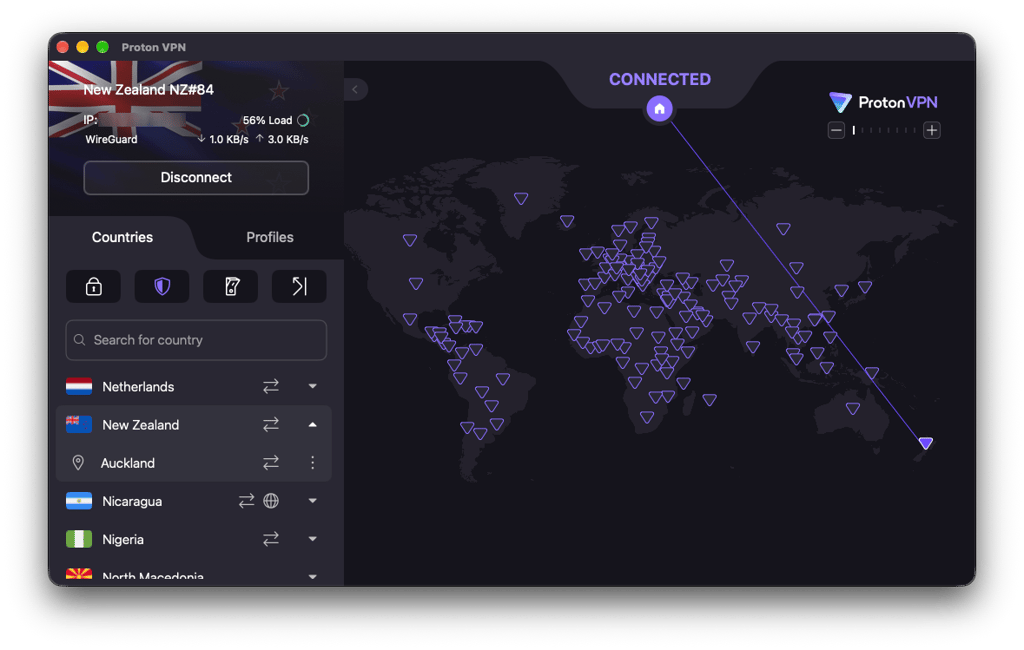
Privacy is where Proton VPN makes its strongest case. Based in Switzerland, the provider encrypts your traffic and masks your home IP address, potentially reducing exposure to IP-targeted DDoS attacks. Its no-logs policy has also passed five consecutive annual independent audits, giving me more confidence in its privacy claims.
For PS5 and Xbox Series X|S, Proton VPN supports OpenVPN and WireGuard on compatible routers. Interestingly, this also applies to Proton VPN Free, which has unlimited data and no artificial speed caps. However, free users have access to servers in just 10 countries, and sharing a VPN connection through Windows requires a paid plan. If you don't have a compatible router, that's an important limitation.
Performance-wise, Proton VPN retained an average of 77% of our original download speed during WireGuard testing. Although this result doesn't represent the Free plan or guarantee lower gaming latency, it's encouraging for large downloads. Paid subscribers also get access to more than 20,660 servers worldwide and Moderate NAT, a feature that may help resolve certain multiplayer connection problems caused by strict NAT. However, it slightly reduces privacy and isn't a guaranteed solution for GTA 6, whose multiplayer networking requirements haven't been confirmed.
Proton VPN is worth considering for its transparency and flexible subscription options. There's a permanent Free plan, while Proton VPN Plus starts at $2.99/month with a 2-year subscription. Paid plans also come with a 30-day money-back guarantee, giving you an opportunity to try the premium features with the option of requesting a refund.
3. ExpressVPN – GTA 6 VPN for router setup

105
3000
24/7, email
-
Supports third-party routers and Windows sharing
-
Dedicated Fortify VPN router
-
Per-device routing and router-level kill switch
-
Fortify requires a separate purchase
For GTA 6 players who prefer using a VPN directly through their router, ExpressVPN is worth considering. Its dedicated Fortify router offers built-in VPN functionality, making it easier to protect PS5 and Xbox Series X|S connections without installing separate apps.
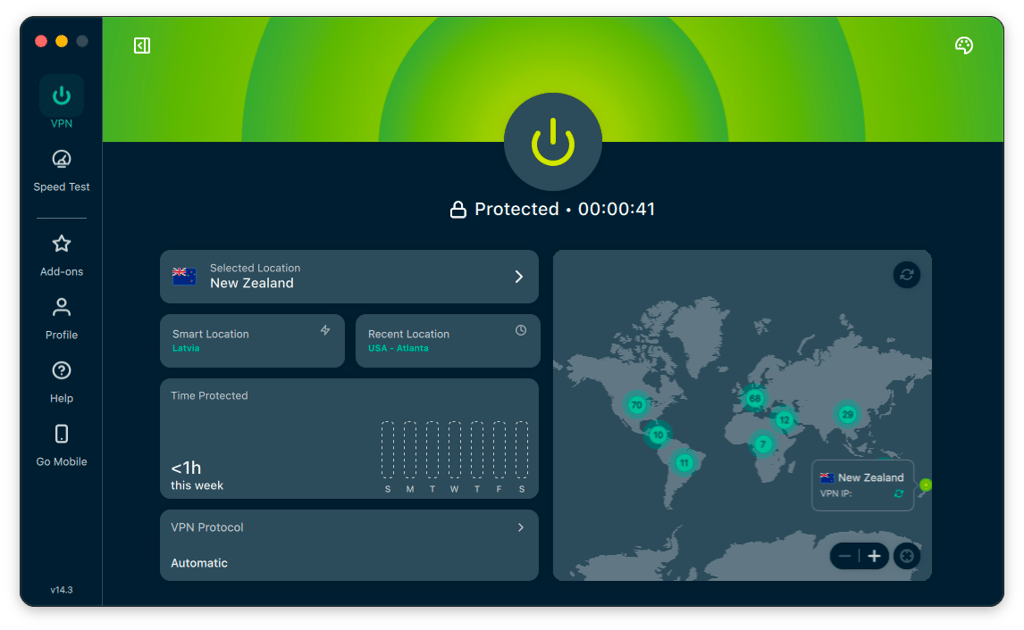
What I particularly like about Fortify is its per-device VPN routing. You can connect your console through a VPN while leaving other household devices on their regular internet connection. There's also a configurable router-level kill switch to prevent traffic from continuing unprotected if the VPN disconnects. Fortify uses WireGuard, although ExpressVPN also supports manual OpenVPN configurations on compatible third-party routers. Alternatively, you can share a VPN connection through Windows.
ExpressVPN performed well in our speed tests, retaining an average of 81% of the original download speed, which is encouraging for large game downloads. However, actual performance through Fortify may differ depending on router hardware and network conditions. With servers across 105 countries, you also have plenty of locations to choose from when looking for a stable connection.
For privacy, ExpressVPN masks your IP address and uses RAM-based TrustedServer technology, which avoids storing server data on traditional hard drives. However, Fortify requires a separate hardware purchase, and manual router setup may still be complicated for beginners.
ExpressVPN starts at $2.99/month, offers a 3-day free trial for iOS and Android, and provides a 30-day money-back guarantee for qualifying purchases. Overall, I'd recommend ExpressVPN to GTA 6 players who want more control over their console's VPN connection, especially if they're willing to invest in Fortify.
4. Surfshark – GTA 6 VPN for multiple devices

100
4500
24/7, FAQ
-
WireGuard and OpenVPN router configurations
-
Surfshark VPN simultaneousConnections device connections
-
Windows VPN sharing through Ethernet or Wi-Fi
-
Manual router setup lacks most app-specific features
Surfshark is worth considering for GTA 6 players who want to protect more than just their gaming console. Its biggest advantage is unlimited simultaneous connections, allowing you to use one subscription across your gaming setup, laptop, smartphone, and other devices without worrying about connection limits.
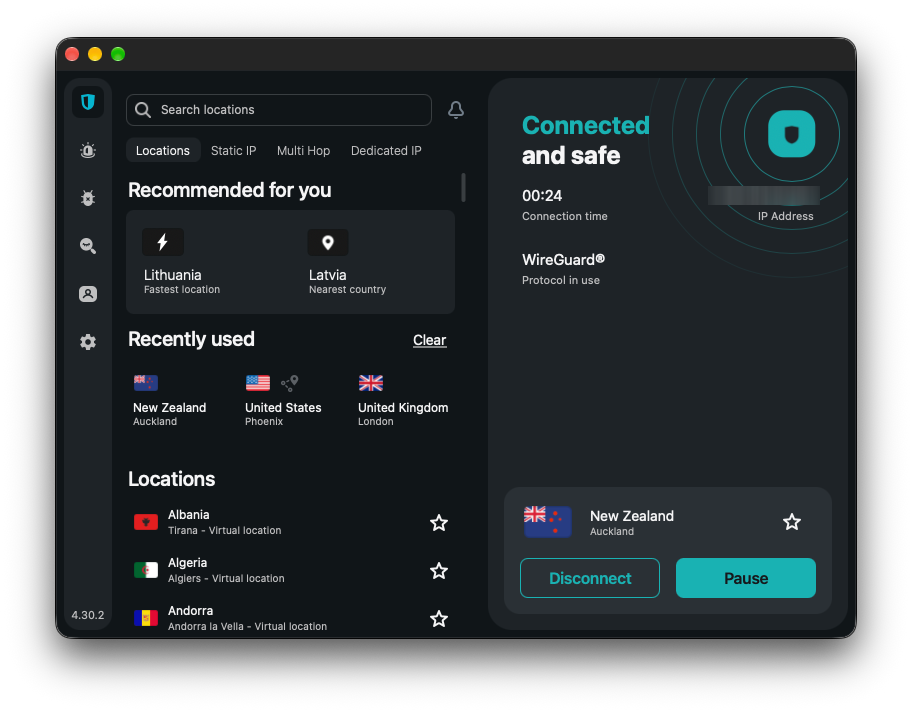
Like Proton VPN, Surfshark supports manual WireGuard and OpenVPN configurations on compatible routers for PS5 and Xbox Series X|S, including supported ASUS, GL.iNet, and TP-Link models. Alternatively, you can share a VPN connection from Windows through Ethernet or a Wi-Fi hotspot. Both options require some setup, but they allow you to use Surfshark without a native console app.
In our WireGuard speed tests, Surfshark retained an average of 80% of the original download speed, losing around 20%. That's a reasonable result for large downloads like GTA 6, although actual performance may differ depending on your router and connection. With over 4,500 servers across 100+ countries, you also have plenty of locations to choose from.
Surfshark masks your IP address and uses RAM-only servers, supported by an independently assessed no-logs policy. However, it doesn't support port forwarding, and most app-specific features aren't available through manual router configurations.
Surfshark starts at $2.49/month, with a 7-day free trial on eligible plans, limited to three devices, and a 30-day money-back guarantee. It's a great choice for GTA 6 players who want VPN protection across multiple devices without worrying about simultaneous connection limits.
5. CyberGhost – beginner-friendly VPN for GTA 6

100
9887
24/7
-
Supports VPN routers and shared computer connections
-
Gaming-optimized servers available on routers
-
Multiple free-trial options and a 45-day money-back guarantee
-
Manual router configurations support OpenVPN only
CyberGhost is a good option for GTA 6 players who are relatively new to VPNs. Its straightforward apps, dedicated gaming servers, and detailed setup guides make it easier to get started, although using a VPN on consoles still requires additional configuration.
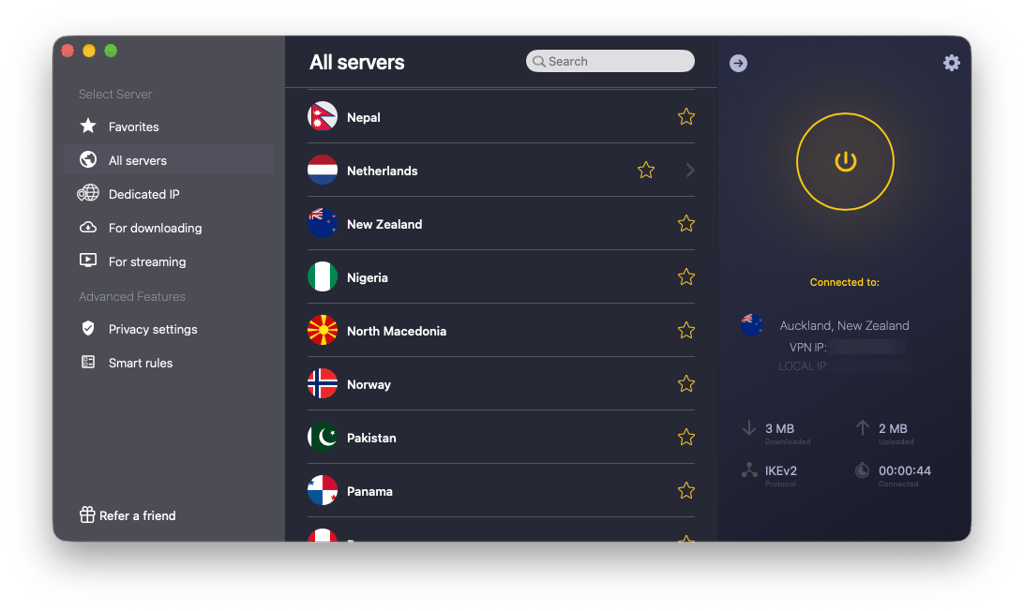
What I particularly like is CyberGhost's gaming-optimized server category in its Windows app. You can compare servers based on ping and distance, helping you choose a suitable connection without much guesswork. CyberGhost also performed reasonably well in our WireGuard speed tests, retaining around 75% of the original download speed. With over 9,887 servers across 100+ countries, there are plenty of locations to explore.
For PS5 and Xbox Series X|S, CyberGhost supports manual OpenVPN configurations on compatible routers, including configuration files for gaming-optimized servers. Alternatively, you can share a VPN connection through Windows. However, manual WireGuard router configurations aren't supported. On the upside, CyberGhost provides detailed instructions and 24/7 customer support to help with configuration.
Privacy-wise, CyberGhost masks your IP address, operates RAM-only servers, and follows an independently audited no-logs policy. These features strengthen its privacy credentials, although they won't necessarily improve gaming performance.
CyberGhost starts at $2.19/month, with a 24-hour desktop free trial, a 3-day Android trial, and a 7-day iOS trial. Longer subscriptions also include a 45-day money-back guarantee, making it worth considering if you'd like to try the service before committing.
Best VPNs for GTA 6 compared
| Best GTA 6 VPN | Monthly price | Console setup method | Router compatibility | Measured speed impact | Server coverage | Free option/trial | Refund policy |
| 1. NordVPN | $3.49/month | VPN router or shared PC connection | OpenVPN-compatible routers, including ASUS, GL.iNet, TP-Link, MikroTik, DD-WRT, OpenWrt, pfSense, and more | 87% download retention | Thousands of servers in 224 locations | 7-day trial on eligible long-term plans in select countries; 3-day free trial on Android | 30 days |
| 2. Proton VPN | $2.99/month | VPN router or shared PC connection | OpenVPN/WireGuard routers, including ASUS, GL.iNet, MikroTik, DD-WRT, OpenWrt, pfSense, and more | 77% download retention | 20,660+ servers in 148+ countries | Free plan | 30 days |
| 3. ExpressVPN | $2.99/month | VPN router or shared PC connection | Fortify (WireGuard), Aircove, OpenVPN-compatible routers (ASUS, DD-WRT, TP-Link, and more) | 81% download retention | 3,000+ servers in 105+ countries | 3-day free trial on Android and iOS | 30 days |
| 4. Surfshark | $2.49/month | VPN router or shared PC connection | OpenVPN/WireGuard routers, including ASUS, GL.iNet, TP-Link, DD-WRT, OpenWrt, and more | 80% download retention | 4,500+ servers in 100+ countries | 7-day free trial on 12- and 24-month plans | 30 days |
| 5. CyberGhost | $2.19/month | VPN router or shared PC connection | OpenVPN-compatible routers, including DD-WRT, FreshTomato, OpenWrt, AsusWRT/Merlin | 75% download retention | 9,887+ servers in 100+ countries | 24-hour free trials on Windows and macOS; 7-day free trial on iOS; 3-day free trial on Android | 45 days (long-term plans); 14 days (monthly) |
How we evaluate VPNs for GTA 6
To find the best VPNs for GTA 6, I compared our VPN performance test results alongside each provider's console compatibility, security features, server coverage, and pricing. Since GTA 6 is launching on PS5 and Xbox Series X|S, I paid particular attention to the following factors:
- Console compatibility. I prioritized VPNs that support compatible routers or shared computer connections, allowing players to use them on PS5 and Xbox Series X|S.
- Connection speeds and router performance. I considered our measured download speed retention results, supported VPN protocols, and router-related performance limitations. These factors are particularly relevant when downloading large games or maintaining a stable connection.
- Privacy and security. I reviewed IP masking, encryption, no-logs policies, and independent security audits to assess each provider's privacy credentials.
- Server coverage. I looked for extensive server networks with nearby locations that players can choose when optimizing their connections.
- Pricing and value. I compared subscription costs, free plans, trial availability, money-back guarantees, and practical features included with each service.
Note: Our speed measurements come from general VPN performance testing, not GTA 6 gameplay or dedicated console-router benchmarks. Actual results may vary depending on the VPN protocol, router hardware, and internet connection.
How to set up a VPN for GTA 6
You can use a VPN for GTA 6 on both PS5 and Xbox Series X|S, but the setup requires a few extra steps. Since neither console supports native VPN apps, you’ll need a compatible router or share your VPN connection from your computer.
How to use a VPN for GTA 6 on PS5
To use a VPN for GTA 6 on PS5, you’ll first need to configure the VPN on a compatible router or share a VPN-protected connection from your Windows PC. Once that’s ready, follow these steps:
- Enable your VPN connection on the router or PC and connect to your preferred VPN server.
- On your PS5, navigate to Settings > Network > Settings > Set Up Internet Connection.
- If using Wi-Fi, select your VPN-enabled network and enter its password. For an Ethernet connection, select Set Up Wired LAN > Connect.
- Go to Settings > Network > Connection Status > Test Internet Connection to check whether your console is connected.
- Make sure the VPN connection remains active on your router or PC before launching GTA 6.
How to use a VPN for GTA 6 on Xbox Series X|S
To use a VPN for GTA 6 on Xbox Series X|S, you’ll need a VPN-enabled router or a shared VPN connection from your Windows PC. Once you’ve configured your preferred method, follow these steps:
- Connect to a VPN server through your router or Windows PC.
- Press the Xbox button on your controller to open the guide.
- Navigate to Profile & system > Settings > General > Network settings.
- Select Set up wireless network, choose your VPN-enabled Wi-Fi network, and enter the password. If using Ethernet, connect the cable to your VPN-enabled router or PC.
- Return to Network settings > Test network connection to check your console’s internet connectivity.
- Make sure the VPN connection stays active on your router or PC while using your Xbox.
Connect your console through a VPN router or shared PC connection
There are two main ways to share a VPN connection with your PS5 or Xbox Series X|S. I’d recommend using a VPN-compatible router for convenience, although sharing a connection from a Windows PC works if you don’t have one.
Method 1: Use a VPN router
- Check that your router supports a VPN client, such as OpenVPN or a compatible WireGuard configuration.
- Access your router’s admin panel and follow your VPN provider’s instructions to configure the connection.
- Connect to your preferred VPN server, then connect your console to the router using Wi-Fi or Ethernet.
Method 2: Share a VPN connection from Windows
- Install your VPN on your PC and connect using a protocol that supports connection sharing.
- For Ethernet sharing, connect your console to your PC using an Ethernet cable. For Wi-Fi sharing, enable Mobile hotspot under Settings > Network & internet > Mobile hotspot.
- Press Win + R, enter ncpa.cpl, and find your VPN network adapter.
- Open Properties > Sharing, enable internet connection sharing, and select the Ethernet or mobile hotspot adapter connected to your console.
- Connect your console to the shared network and keep your PC and VPN running while playing.
Note: Windows VPN connection sharing steps may differ depending on your VPN provider and protocol. Some protocols may not support sharing, and simply enabling a Wi-Fi hotspot doesn’t guarantee your console’s traffic will pass through the VPN. Check your provider’s official setup guide for specific instructions.
Can you play GTA 6 early with a VPN?
A VPN can change your apparent IP location to New Zealand, but there's no confirmation that doing so will let you play GTA 6 early. Your console's regional settings, account details, and game licensing rules may also affect when the game unlocks. The process is also different between PS5 and Xbox Series X|S, and early access isn't guaranteed.
Does the New Zealand trick work for GTA 6?
The New Zealand trick isn’t exactly new and has worked for some previous game releases on Xbox. However, whether it’ll work for GTA 6 remains to be seen. Rockstar has announced that GTA 6 launches at midnight local time on November 19, 2026. Since New Zealand reaches midnight earlier than Europe and the US, some players could theoretically access the game on November 18.
Here’s how the workaround differs depending on your console:
- Xbox Series X|S: Go to Settings > System > Language & location, select New Zealand, and restart your console. This method has worked for previous releases, but there’s no guarantee GTA 6 will unlock early.
- PS5: Sony doesn’t allow changing an existing PSN account’s region. As a result, you would technically need to create a new account based in New Zealand and purchase GTA 6 from its PlayStation Store. However, Sony’s account and payment restrictions may complicate this process.
VPN location vs. console account region and release time
While a VPN can change your apparent IP location, it won’t override the regional settings that are linked to your console account or the licensing rules of a digital game. For instance, if you connect to a VPN server in New Zealand, your real IP address will be masked, but it won’t automatically change your console’s store region or when the game becomes available to play.
How regional settings work also depends on the console you're using. Xbox players can change their console's location, and previous releases like Elden Ring and Forza Motorsport show that the New Zealand trick has worked before. However, that doesn't guarantee early access to GTA 6. Meanwhile, on PlayStation, purchases are tied to the region of your PSN account, and it’s not possible to change it after registration.
Although Rockstar has confirmed a midnight-local-time launch for GTA 6, there’s no confirmation that a New Zealand IP address affects the unlock process. That said, I don’t recommend relying on a VPN alone for early access, even if you’ve already pre-loaded the game.
Can a VPN bypass GTA 6 regional restrictions?
If GTA 6 isn’t available in your country, connecting to a VPN server in another region might seem like an easy solution. Unfortunately, regional restrictions aren’t always tied to your IP address. PlayStation and Xbox also have their own store, account, and licensing requirements that can affect whether you can purchase or activate the game. As a result, a VPN alone may not be enough to purchase or activate GTA 6.
Note: Rockstar's terms also restrict using IP proxying to disguise your location or circumvent regional restrictions, so attempting this workaround may carry account-related risks.
What if GTA 6 is unavailable in your country?
If GTA 6 is unavailable in your country’s console store, it doesn’t necessarily mean that the game is banned. Its availability can depend on more than one factor, such as regional regulations, age ratings, and platform policies. That said, don’t forget to review Rockstar’s official pre-order information – the company has published lists of countries where GTA 6 pre-orders are supported, and additional regions may be added later.
However, if you’re thinking about purchasing the game from another region, there are certain restrictions to take into account:
- PS5: Your PSN account is tied to a specific region, and GTA 6 download codes must match the applicable PlayStation account region.
- Xbox Series X|S: Rockstar confirms that GTA 6 download codes aren’t region-locked, although regional storefront and payment restrictions could still get in the way.
I’d recommend checking your platform’s regional availability and code compatibility before purchasing GTA 6 from an international retailer.
Can you buy GTA 6 cheaper with a VPN?
While the game’s prices can differ between countries, a VPN alone won’t guarantee that you’ll be able to buy GTA 6 cheaper. Using a New Zealand, Japanese, or other foreign IP address doesn’t automatically make you eligible to purchase the game through that country’s PlayStation or Xbox Store. Generally, there are a few factors to consider:
- Store eligibility: Console accounts need to meet the region’s purchasing requirements.
- Payment methods: The store needs to accept your card or other available payment option and meet any regional payment requirements.
- Total cost: Currency conversion fees, additional taxes, or other charges can quickly inflate the price.
Of course, don’t forget that PlayStation download codes must also be compatible with your account region. So if you’re unsure about foreign purchases, I’d recommend sticking to an authorized retailer in your own region.
What is the best VPN server location for GTA 6?
For GTA 6, the best VPN server isn’t necessarily in a specific country. In most cases, I’d suggest choosing one that’s geographically close to you, as this can help keep latency down and maintain a stable connection. However, a nearby server won’t always be the fastest, especially if it’s overcrowded or your ISP’s routing is inefficient.
If you’re experiencing high ping or an unstable connection, try switching between nearby VPN servers to see which performs better. I’d also recommend using a fast VPN protocol, such as WireGuard, NordLynx, or Lightway, provided your setup supports it.
Keep in mind that Rockstar hasn’t confirmed GTA 6’s multiplayer networking details, so there’s currently no evidence that connecting to a particular country will provide easier lobbies or better matchmaking.
Can you use a free VPN for GTA 6?
Using a free VPN for GTA 6 is possible, but finding one that works conveniently with PS5 or Xbox Series X|S can be tricky. Not all free VPNs offer router support or VPN connection sharing options, so using them on gaming consoles isn’t always possible.
Still, there are some options that you can try. Proton VPN is a good example, offering a free plan with unlimited data and no artificial speed caps. However, free users have fewer server locations to choose from, which can make finding a fast and stable connection more difficult.
Regarding console setup, Proton VPN Free can also work through a compatible VPN router, but sharing a Proton VPN connection through Windows requires a paid plan. Naturally, that might be inconvenient if you don’t own a VPN-compatible router.
Alternatively, you could try a premium VPN through a free trial. For instance, services like NordVPN and Surfshark offer free trials on eligible plans. You can also consider a money-back guarantee, but remember that you’ll have to pay for the subscription first and request a refund afterward.
GTA 6 VPN not working: how to fix it
If your GTA 6 VPN isn't working properly, the issue could be related to your internet connection, VPN configuration, or console network settings. However, before messing around with complicated router settings, it’s worth checking if the problem actually comes from your VPN. Here’s where you can start:
- Check your internet connection: Disconnect the VPN temporarily and test whether your console can access the internet normally.
- Verify your router configuration: Make sure the VPN connection is active, and your console’s traffic is routed through it properly.
- Check your shared PC connection: If you’re using Windows, confirm that Internet Connection Sharing is enabled for the correct adapter and your VPN remains connected.
- Run a DNS leak test: On a device using the same VPN-routed connection, visit dnsleaktest.com and check whether your DNS requests expose your regular ISP's servers. You can also check your public IP address to confirm that the VPN is routing your traffic.
- Switch VPN servers or protocols: To rule out server-related issues, try a different nearby server or change to another supported protocol, such as OpenVPN or WireGuard.
- Look for NAT issues: Strict NAT or double NAT can interfere with certain online services. Your router or VPN provider may have specific troubleshooting instructions.
- Check for service outages: Visit the official PlayStation Network, Xbox, or Rockstar service status pages to see if the problem goes beyond your setup.
If nothing helps, I’d recommend contacting your VPN provider’s support team for further troubleshooting and to check for any service-related issues.
Final verdict
A VPN isn't necessary for enjoying GTA 6, especially if you're sticking to single-player. Still, it's worth considering if you want to keep your IP address private or protect your internet traffic. The main challenge is finding a service that works conveniently with PS5 or Xbox Series X|S, since neither console supports native VPN apps.
For this reason, I'd recommend NordVPN as the best overall VPN for GTA 6. Our testing showed strong download performance, while its broad server network and router compatibility make it a practical choice. Proton VPN is worth considering for privacy, ExpressVPN for router setup, Surfshark for multiple devices, and CyberGhost for ease of use.


FAQ
What is the best VPN for GTA 6?
NordVPN is the best VPN for GTA 6 on PS5 and Xbox Series X|S. Its compatibility with VPN routers and shared PC connections makes it a practical choice for console gaming. Combined with strong download speed retention, widespread server coverage, and IP masking, it offers a well-rounded VPN experience.
Can you get banned for using a VPN with GTA 6?
Using a VPN with GTA 6 won't necessarily get you banned. While some GTA Online players report using VPNs without penalties, Rockstar’s Terms of Service prohibit IP proxying to conceal your location or evade regional restrictions. Currently, there’s no confirmed GTA 6-specific enforcement policy, but using a VPN for regional workarounds isn't entirely risk-free.
Does a VPN improve GTA 6 FPS?
No, a VPN won’t improve GTA 6 FPS. Frame rates depend on your console’s hardware and the game’s optimization, not your internet connection. While a VPN may sometimes reduce ping by improving network routing, it won’t increase frames per second or improve graphics performance.
Can you use a VPN for GTA 6 on PC?
You can't currently play GTA 6 natively on PC, as Rockstar has only confirmed PS5 and Xbox Series X|S versions. However, there are reports suggesting a possible PC release in early 2027, although Rockstar hasn’t officially confirmed this information. Once a PC version becomes available, using a VPN should be much easier than on consoles, since you can install the app directly.
Will a GTA 6 VPN also work with GTA Online?
Yes, a VPN configured for GTA 6 should also work with GTA Online, since VPNs route your internet traffic rather than connecting to a specific game. If you've already configured a VPN on your console through a compatible router or shared PC connection, you won't need a separate setup. Just keep in mind that some VPN connections may interfere with Rockstar's online services.
Can a VPN get you GTA 6 bot lobbies?
No, a VPN can't guarantee GTA 6 bot lobbies. While changing your virtual location might influence regional matchmaking in some online games, it doesn't create AI opponents or guarantee easier matches. Besides, Rockstar hasn't confirmed GTA 6's multiplayer features, so there's no evidence that VPNs could affect its matchmaking.


- Best VPNs for GTA 6: shortlist
- Do you need a VPN for GTA 6?
- Best GTA 6 VPNs: detailed reviews
- Best VPNs for GTA 6 compared
- How we evaluate VPNs for GTA 6
- How to set up a VPN for GTA 6
- Can you play GTA 6 early with a VPN?
- Can a VPN bypass GTA 6 regional restrictions?
- What is the best VPN server location for GTA 6?
- Can you use a free VPN for GTA 6?
- GTA 6 VPN not working: how to fix it
- Final verdict
- FAQ